

Workflow automation is transforming how businesses operate by streamlining processes, reducing manual tasks, and enhancing overall efficiency. By automating routine workflows, organizations can achieve greater accuracy, scalability, and employee satisfaction. This blog post explores the multifaceted benefits of workflow automation and provides insights into its implementation.
Key Findings
-
Enhanced Efficiency and Productivity: Automating repetitive tasks allows employees to focus on strategic initiatives, leading to increased productivity. (atlassian.com)
-
Reduced Errors and Improved Accuracy: Standardized automated processes minimize human errors, ensuring consistent and accurate outcomes. (blog.procedureflow.com)
-
Cost Savings: Automation reduces operational costs by decreasing manual labor and optimizing resource allocation. (sanka.io)
-
Scalability: Automated workflows can easily adapt to increased workloads, supporting business growth without compromising performance. (airbyte.com)
-
Enhanced Collaboration and Communication: Workflow automation fosters better communication and collaboration among teams by providing real-time updates and shared workspaces. (atlassian.com)
-
Improved Compliance and Accountability: Automated workflows ensure adherence to regulatory standards and provide clear audit trails, enhancing accountability. (moxo.com)
How Does Workflow Automation Enhance Business Efficiency?
Workflow automation significantly enhances business efficiency by streamlining processes, reducing manual intervention, and optimizing resource utilization.
Increased Productivity: By automating repetitive tasks, employees can focus on strategic activities, leading to higher productivity. For instance, businesses save an average of 15-20 hours per week per employee by automating routine workflows.
Reduced Errors: Automation minimizes human errors inherent in manual processes, ensuring greater accuracy and consistency in operations. This leads to higher quality outputs and increased customer satisfaction.
Cost Savings: Implementing workflow automation often leads to substantial cost savings by eliminating manual intervention, optimizing resource allocation, and streamlining workflows. Organizations that have implemented automation solutions indicated a 12% workforce capacity increase, allowing them to redirect resources to more strategic initiatives.
Enhanced Collaboration: Automation tools facilitate seamless communication and collaboration among team members, departments, and stakeholders. Real-time notifications, centralized data access, and automated task assignments foster a more connected and collaborative work environment.
Improved Compliance and Accountability: Automated workflows ensure that processes are completed in accordance with legal and regulatory requirements, reducing the risk of non-compliance. They also provide detailed logs and audit trails, making it easy to monitor compliance and accountability.
By integrating workflow automation, businesses can achieve greater efficiency, accuracy, and cost-effectiveness, positioning themselves for sustained growth and competitiveness.
External Sources: Learn More
Transform your workflow and unleash your potential—visit ipsom.io or connect with us at office@ipsom.io.
What Are the Key Benefits of Implementing Workflow Automation?
Implementing workflow automation offers several key benefits that can significantly enhance organizational performance:
Increased Efficiency and Productivity: Automating repetitive tasks allows employees to focus on strategic activities, leading to higher productivity.
Enhanced Accuracy and Reduced Errors: Automation minimizes human errors by standardizing processes, ensuring tasks are completed correctly every time.
Cost Savings: By reducing manual labor and minimizing errors, businesses can lower operational costs and allocate resources more efficiently.
Improved Collaboration and Communication: Automated workflows provide real-time updates and shared dashboards, enhancing team collaboration and reducing miscommunication.
Scalability and Flexibility: Automation allows businesses to handle increased workloads without adding more employees, supporting growth without compromising quality.
Better Compliance and Accountability: Automated systems generate detailed logs and audit trails, ensuring adherence to industry standards and facilitating monitoring of compliance and accountability.
By integrating workflow automation, organizations can streamline operations, reduce costs, and improve overall efficiency.
External Sources: Learn More
Transform your workflow and elevate your business—learn more at ipsom.io or connect with us at office@ipsom.io.
How Can Workflow Automation Improve Accuracy and Reduce Errors?
Implementing workflow automation significantly enhances accuracy and reduces errors by standardizing processes and minimizing manual intervention. Automated systems execute tasks based on predefined rules, ensuring consistent and precise outcomes. For instance, in manufacturing, automation standardizes processes, reducing the risk of human error.
By automating data entry and processing, organizations can eliminate common errors associated with manual input. This not only improves data accuracy but also enhances overall operational efficiency. In healthcare, for example, workflow automation reduces errors in patient record management and billing, leading to more reliable data handling.
Moreover, workflow automation facilitates real-time monitoring and immediate error detection. Automated systems can continuously oversee processes, promptly identifying and alerting staff to any anomalies. This proactive approach allows for swift corrections, preventing minor issues from escalating into significant problems.
In summary, workflow automation enhances accuracy and reduces errors by standardizing processes, eliminating manual data entry, and enabling real-time monitoring. These improvements lead to more reliable operations and better decision-making across various industries.
External Sources: Learn More
Unlock the power of automation—visit ipsom.io or email us at office@ipsom.io for more info!
In What Ways Does Workflow Automation Contribute to Cost Savings?
Workflow automation significantly contributes to cost savings in various ways:
Reduction in Labor Costs: By automating repetitive tasks, businesses can decrease the need for manual labor, allowing employees to focus on higher-value activities. This shift not only enhances productivity but also reduces expenses associated with routine tasks.
Minimization of Errors and Rework: Automated processes ensure consistency and accuracy, thereby reducing human errors that can lead to costly corrections and rework. This precision enhances overall operational efficiency.
Improved Resource Utilization: Automation enables better allocation of resources by efficiently managing workloads and preventing both overstaffing and underutilization. This optimization leads to significant cost savings.
Faster Time-to-Market: By expediting processes and reducing the time required to complete tasks, workflow automation accelerates the time to market for products and services. This speed allows businesses to capitalize on market opportunities more quickly, resulting in potential revenue gains.
Scalability Without Proportional Cost Increases: As businesses grow, manual tasks often become unsustainable and require additional resources to scale. Workflow automation tools can scale seamlessly without incurring proportional cost increases, making them cost-effective solutions for growing organizations.
By implementing workflow automation, organizations can achieve substantial cost savings through enhanced efficiency, accuracy, and resource management.
External Sources: Learn More
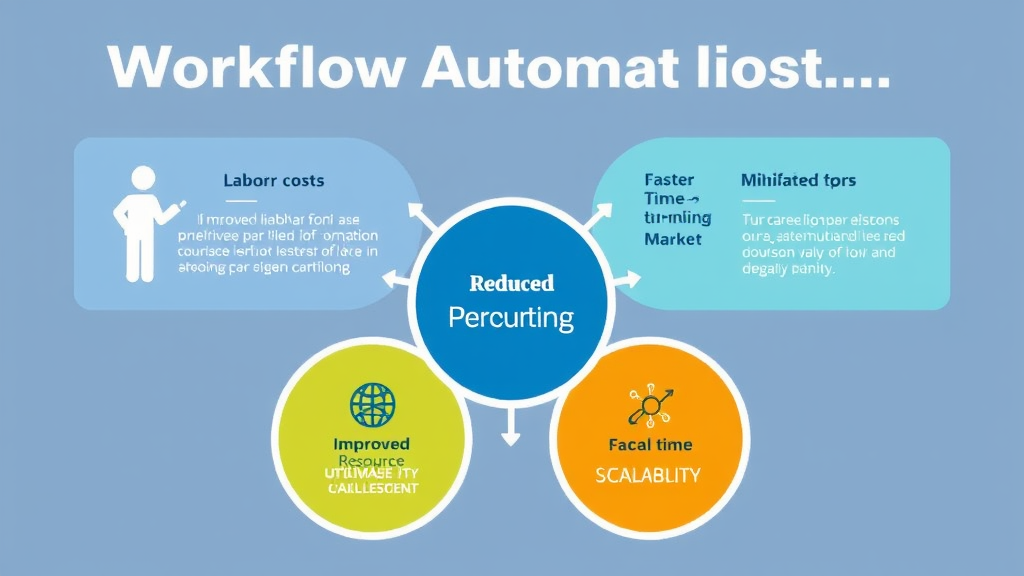
How Does Workflow Automation Support Business Scalability?
Workflow automation plays a pivotal role in supporting business scalability by enabling organizations to handle increased workloads and complex processes without a proportional rise in resources or costs. By automating routine tasks, businesses can efficiently manage growth and adapt to changing demands.
Key ways workflow automation supports scalability:
-
Efficient Resource Utilization: Automating repetitive tasks reduces the need for manual labor, allowing employees to focus on strategic initiatives. This leads to significant cost savings and optimized resource allocation.
-
Consistent Process Execution: Automated workflows ensure tasks are performed uniformly, minimizing errors and maintaining quality standards as operations expand.
-
Adaptability to Growth: Automated systems can seamlessly handle increased workloads, enabling businesses to scale operations without compromising efficiency.
-
Enhanced Decision-Making: Workflow automation tools provide real-time data and analytics, offering insights into process performance and identifying areas for improvement, which is crucial for informed decision-making during expansion.
By integrating workflow automation, businesses can achieve scalable growth, maintain operational efficiency, and adapt to evolving market demands effectively.
External Sources: Learn More
What Role Does Workflow Automation Play in Enhancing Collaboration and Communication?
Workflow automation significantly enhances collaboration and communication within organizations by streamlining processes and integrating various tools.
Centralized Task Management: Automated workflows provide a unified platform where all team members can access and update project information in real-time. This centralization eliminates the need for multiple spreadsheets and fragmented communication channels, ensuring everyone is aligned and informed.
Improved Communication: By automating routine tasks and notifications, workflow automation keeps team members informed about project updates, deadlines, and changes. This ensures that everyone is on the same page and reduces the risk of miscommunication.
Enhanced Accountability: Automated workflows provide a transparent overview of tasks, progress, and milestones. Each team member knows their responsibilities and deadlines, fostering a sense of accountability and ensuring that projects stay on track.
Cross-Department Collaboration: Workflow automation breaks down silos between departments by integrating workflows and facilitating seamless collaboration on cross-functional projects. This integration ensures that all teams are aligned and working towards common goals.
By implementing workflow automation, organizations can create a more collaborative and communicative environment, leading to increased efficiency and productivity.
External Sources: Learn More
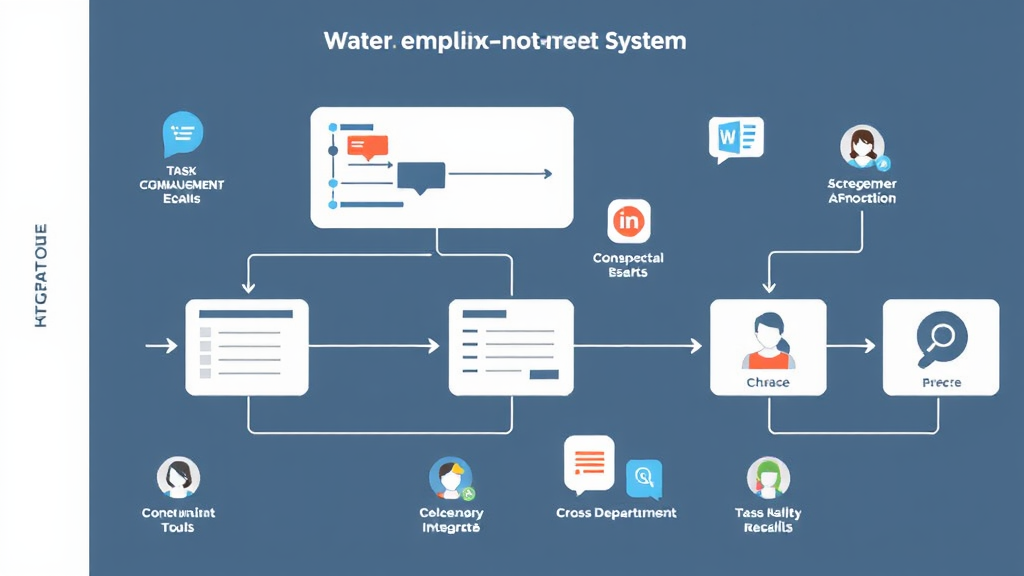
How Can Workflow Automation Ensure Compliance and Accountability?
Workflow automation plays a pivotal role in enhancing compliance and accountability within organizations by streamlining processes, enforcing internal controls, and providing transparent audit trails.
Enforcement of Internal Controls
Automated workflows ensure that internal policies and procedures are consistently applied, reducing the risk of human error and oversight. By automating tasks such as data collection and approval processes, organizations can maintain adherence to regulatory requirements and internal standards.
Transparent Audit Trails
Automation facilitates the creation of detailed audit trails by documenting each step of a process with timestamps and user actions. This transparency allows organizations to track information version history and provides clear evidence of compliance during audits.
Real-Time Monitoring and Reporting
Automated systems offer real-time monitoring capabilities, enabling organizations to promptly identify and address compliance issues. This continuous oversight ensures that compliance activities are up-to-date and that any deviations are quickly corrected.
Improved Accountability
By clearly defining roles and responsibilities within automated workflows, organizations enhance accountability among employees. Each task is assigned to specific individuals, and the system tracks task completion, ensuring that all steps are performed correctly and on time.
In summary, implementing workflow automation strengthens compliance by enforcing internal controls, providing transparent audit trails, enabling real-time monitoring, and enhancing accountability across the organization.
External Sources: Learn More
FAQ – Frequently Asked Questions
What is workflow automation and how does it work?
Workflow automation uses software to perform tasks, information routing, and document management based on predefined business rules, reducing the need for manual intervention.
It operates by identifying repetitive tasks, setting triggers (like form submissions or data updates), defining actions (such as sending notifications or updating records), and integrating with various systems to execute these tasks automatically.
This process enhances efficiency, minimizes errors, and allows employees to focus on more strategic activities.
What types of tasks are best suited for workflow automation?
Workflow automation is particularly effective for tasks that are repetitive, time-consuming, and prone to human error. Key areas well-suited for automation include:
1. Finance and Accounting:
- Invoice Processing: Automating the capture, matching, and approval of invoices reduces manual data entry and accelerates payment cycles.
- Expense Reporting: Employees can submit expenses electronically, with automated systems verifying compliance and routing for approval, leading to faster reimbursements.
2. Human Resources:
- Employee Onboarding: Automating tasks such as document collection, training schedules, and IT setup ensures a seamless integration for new hires.
- Performance Management: Automated systems provide real-time insights and feedback, streamlining the evaluation process.
3. Customer Service:
- Support Ticket Management: Automated ticketing systems categorize and assign customer inquiries to appropriate agents, improving response times and customer satisfaction.
- Chatbots: Implementing chatbots for handling common queries allows human agents to focus on more complex issues.
4. Marketing:
- Email Campaigns: Automating email scheduling and personalization enhances engagement and conversion rates.
- Social Media Management: Scheduling posts and monitoring engagement through automation ensures a consistent online presence.
5. IT Services:
- Service Requests: Automating ticket assignment and escalation processes ensures timely resolution of IT issues.
- System Monitoring: Automated alerts for system performance issues enable proactive maintenance.
6. Sales:
- Lead Management: Automating lead capturing, scoring, and nurturing optimizes the sales pipeline and increases conversion rates.
- Quote Generation: Automated systems can generate and customize sales quotes based on predefined criteria, speeding up the sales process.
7. Supply Chain Management:
- Inventory Control: Automating inventory tracking and reorder processes prevents stockouts and overstock situations.
- Order Processing: Automated workflows can handle order entries, confirmations, and shipping notifications, enhancing efficiency.
By automating these tasks, organizations can improve efficiency, reduce errors, and allow employees to focus on more strategic activities.
How can small businesses benefit from workflow automation?
Small businesses can significantly benefit from workflow automation in several key areas:
-
Increased Productivity: Automating repetitive tasks allows employees to focus on strategic activities, enhancing overall efficiency.
-
Cost Savings: By reducing manual labor and minimizing errors, automation lowers operational expenses.
-
Improved Accuracy: Automation ensures tasks are completed consistently, reducing human errors.
-
Enhanced Collaboration: Automated workflows streamline communication, fostering better teamwork.
-
Scalability: Automation allows businesses to handle increased workloads efficiently as they grow.
-
Faster Decision-Making: Real-time data from automated processes enables quicker, informed decisions.
-
Better Customer Experience: Automation leads to faster responses and consistent service, enhancing customer satisfaction.
Implementing workflow automation can transform small business operations, leading to greater efficiency and growth.
What are the common challenges in implementing workflow automation?
Implementing workflow automation can enhance efficiency but presents several challenges:
-
Resistance to Change: Employees may fear job displacement or struggle with new technologies. Effective communication and comprehensive training can alleviate these concerns.
-
Integration Issues: New automation tools may not seamlessly integrate with existing systems, leading to data silos and inefficiencies. Selecting compatible platforms and involving IT specialists early can mitigate these problems.
-
Unclear Objectives: Without well-defined goals, automation efforts can become unfocused. Establishing clear, measurable objectives is crucial for success.
-
Over-Automation: Automating unsuitable processes can reduce flexibility and hinder human creativity. It's important to assess which tasks truly benefit from automation.
-
Data Security Concerns: Automated systems often handle sensitive information, raising security and compliance issues. Implementing robust security measures and regular audits can address these concerns.
-
High Initial Costs: The upfront investment for automation tools and training can be substantial. Starting with high-impact processes and scaling gradually can help manage expenses.
-
Lack of Skilled Personnel: A shortage of in-house expertise can impede implementation. Investing in training or partnering with external experts can bridge this gap.
-
Poor Workflow Design: Automating inefficient processes can exacerbate existing issues. Thoroughly mapping and optimizing workflows before automation is essential.
-
Inadequate User Adoption: Without proper training and support, employees may resist using new systems. Providing comprehensive training and ongoing support encourages adoption.
-
Ignoring Scalability: Failing to consider future growth can lead to bottlenecks. Choosing scalable solutions ensures the system can adapt to evolving needs.
Addressing these challenges through strategic planning, clear communication, and continuous improvement can lead to successful workflow automation implementation.
How do I choose the right workflow automation tools for my organization?
Selecting the right workflow automation tools for your organization involves several key considerations:
-
Identify Your Needs: Determine which repetitive tasks or processes you aim to automate, such as approvals, data entry, or notifications.
-
Evaluate Integration Capabilities: Ensure the tool integrates seamlessly with your existing systems (e.g., CRM, ERP, email platforms) to maintain uninterrupted operations.
-
Assess User-Friendliness: Choose software with an intuitive interface that requires minimal training, facilitating quick adoption by your team.
-
Consider Customization and Flexibility: Opt for tools that allow you to tailor workflows to your specific business needs and can adapt as your organization evolves.
-
Review Security and Compliance: Ensure the software adheres to industry standards and regulations (e.g., GDPR, HIPAA) to protect sensitive information.
-
Analyze Cost and Scalability: Evaluate the total cost of ownership, including implementation and maintenance, and ensure the tool can scale with your business growth.
-
Check Vendor Reputation and Support: Research the vendor's credibility and assess the quality of customer support to ensure reliable assistance when needed.
By carefully considering these factors, you can select a workflow automation tool that enhances efficiency and aligns with your organization's objectives.