
Customer Relationship Management (CRM) automation leverages technology to streamline and enhance interactions with customers throughout their lifecycle. By automating tasks such as data entry, lead nurturing, and follow-ups, businesses can improve efficiency, personalize customer experiences, and drive growth. This blog post explores the multifaceted benefits of CRM automation and offers insights into its effective implementation.
Key Findings
- Enhanced Efficiency: Automating repetitive tasks reduces manual labor, allowing teams to focus on strategic initiatives.
- Improved Customer Service: Automated responses and workflows ensure timely and consistent communication with customers.
- Data-Driven Insights: CRM automation provides real-time analytics, enabling informed decision-making and strategy refinement.
- Personalized Marketing: Segmentation and automation facilitate targeted campaigns, increasing engagement and conversion rates.
- Scalability: Automated systems support business growth by efficiently managing increasing customer interactions without proportional resource expansion.
How Does CRM Automation Enhance Business Efficiency?
CRM automation enhances business efficiency by streamlining operations, improving customer engagement, and providing valuable insights.
Time and Resource Efficiency
By automating repetitive tasks such as data entry, follow-up emails, and lead assignments, CRM systems free up employees to focus on strategic activities. This leads to increased productivity and faster response times.
Enhanced Customer Engagement
CRM automation enables personalized customer interactions by collecting and analyzing customer data. This allows businesses to tailor communications to individual preferences, enhancing engagement and satisfaction.
Improved Data Insights
Automated CRM systems offer advanced reporting and analytics features, providing insights into sales performance, customer behavior, and market trends. These reports help businesses identify opportunities for improvement, track progress towards goals, and make data-driven decisions.
By integrating CRM automation, businesses can achieve greater operational efficiency, foster stronger customer relationships, and make informed decisions that drive growth.
External Sources: Learn More
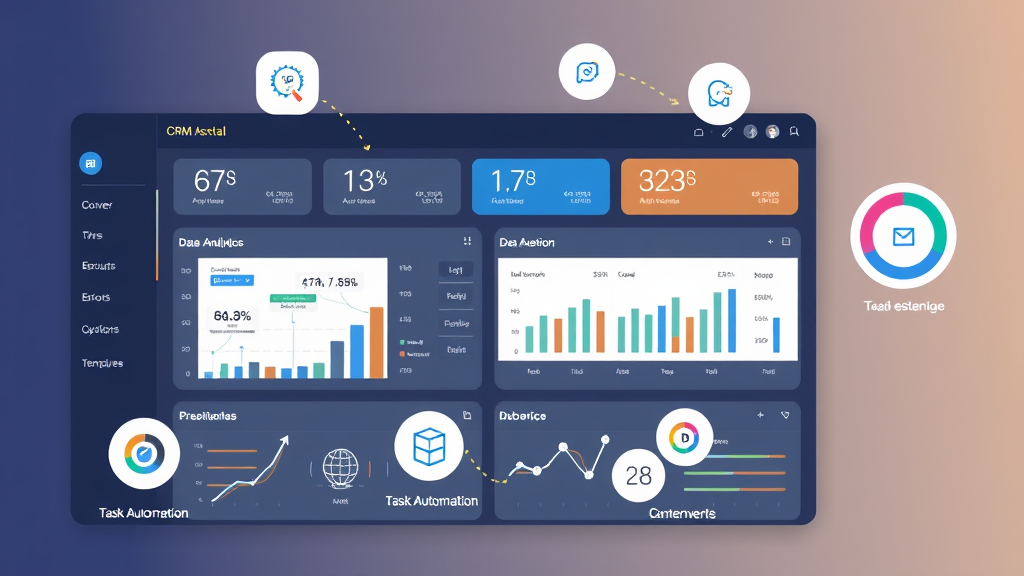
The Impact of CRM Automation on Customer Service Quality
CRM automation significantly enhances customer service quality by streamlining processes, personalizing interactions, and improving response times.
Personalized Communication: Automated CRM tools analyze customer data to tailor communications, such as personalized emails and offers, fostering stronger connections and increasing customer loyalty.
Efficient Customer Service: By automating routine tasks like data entry and follow-ups, CRM systems reduce human error and free up staff to focus on complex issues, leading to quicker resolutions and higher customer satisfaction.
Improved Response Times: Automation ensures prompt replies to customer inquiries, with features like automated notifications and ticket tracking, resulting in faster response times and enhanced customer experience.
Proactive Engagement: CRM automation enables businesses to anticipate customer needs by analyzing behavior patterns, allowing for proactive outreach and issue resolution, which builds trust and loyalty.
By integrating CRM automation, businesses can deliver more personalized, efficient, and responsive customer service, ultimately enhancing overall service quality.
External Sources: Learn More
Transform your workflow and unleash growth—visit ipsom.io or drop us a line at office@ipsom.io.
Leveraging CRM Automation for Data-Driven Decision Making
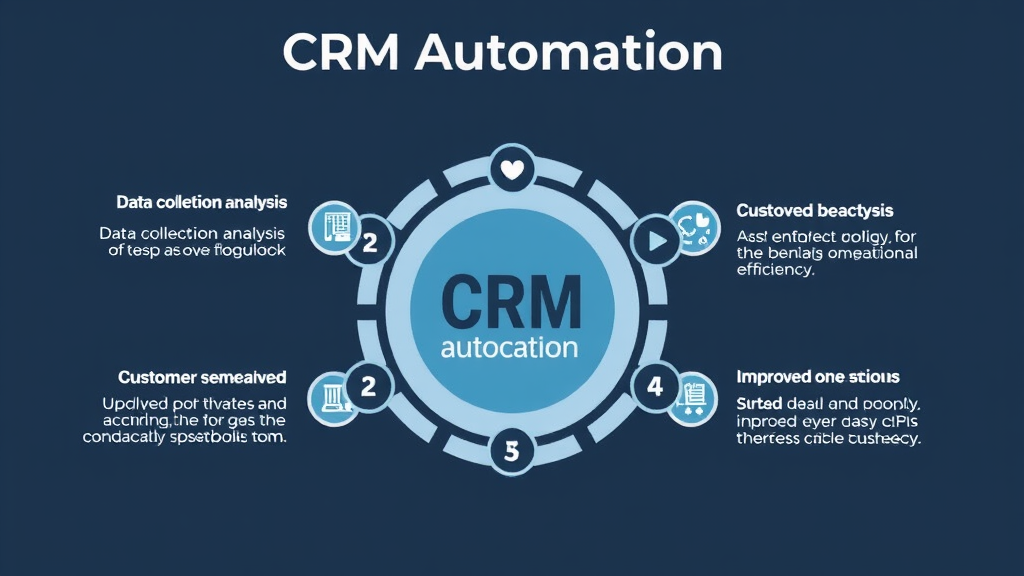
CRM automation enhances data-driven decision-making by streamlining data collection, analysis, and application processes. By automating routine tasks, businesses can focus on strategic initiatives that leverage customer insights for improved outcomes.
Key benefits of CRM automation include:
-
Comprehensive Data Collection: Automated CRM systems gather diverse customer information, such as demographic details, purchase history, and communication records, providing a holistic view of customer interactions.
-
Enhanced Data Analysis: With automation, CRM platforms can analyze large datasets to identify patterns and trends, enabling businesses to anticipate customer needs and tailor their strategies accordingly.
-
Improved Customer Segmentation: Automated systems facilitate the segmentation of customers based on behavior and preferences, allowing for more targeted marketing efforts and personalized experiences.
-
Predictive Analytics: CRM automation incorporates predictive analytics to forecast future customer behaviors and market trends, aiding in proactive decision-making and resource allocation.
-
Operational Efficiency: By automating repetitive tasks such as data entry and lead scoring, CRM systems reduce manual errors and free up time for employees to focus on high-value activities.
Implementing CRM automation empowers organizations to make informed decisions based on accurate, real-time data, ultimately enhancing customer satisfaction and driving business growth.
External Sources: Learn More
Transform your workflow and elevate your business—visit ipsom.io or connect with us at office@ipsom.io.
Personalizing Marketing Campaigns Through CRM Automation
Customer Relationship Management (CRM) automation plays a pivotal role in personalizing marketing campaigns by leveraging comprehensive customer data to deliver targeted and relevant communications. This approach enhances customer engagement, fosters loyalty, and drives higher conversion rates.
Key Strategies for Personalizing Marketing Campaigns Through CRM Automation:
-
Audience Segmentation:
CRM systems enable businesses to segment their audience based on various criteria such as demographics, purchase history, and engagement levels. This segmentation allows for the creation of tailored messages that resonate with specific customer groups, increasing the effectiveness of marketing efforts. -
Behavioral Tracking and Triggered Campaigns:
By monitoring customer interactions—such as website visits, email opens, and purchase behaviors—CRM automation can trigger personalized campaigns. For instance, if a customer abandons a shopping cart, the system can automatically send a reminder email with related product recommendations, encouraging completion of the purchase. -
Dynamic Content Delivery:
CRM tools facilitate the delivery of dynamic content across various channels, including emails and websites. This means that the content displayed can change based on the individual customer's preferences and behaviors, ensuring a more personalized experience. -
Automated Personalized Workflows:
CRM automation streamlines the creation of personalized workflows, such as welcome email series for new subscribers or re-engagement campaigns for inactive customers. These automated sequences ensure timely and relevant communication, enhancing the customer journey. -
Predictive Analytics:
Advanced CRM platforms incorporate predictive analytics to anticipate customer needs and behaviors. This capability allows businesses to proactively offer products or services that align with individual customer preferences, thereby increasing the likelihood of conversion.
By implementing these strategies, businesses can effectively utilize CRM automation to create personalized marketing campaigns that not only meet but exceed customer expectations, leading to sustained engagement and growth.
External Sources: Learn More
Transform your business with ease—visit ipsom.io or drop us a line at office@ipsom.io.
Scaling Your Business with CRM Automation: Opportunities and Challenges
Implementing Customer Relationship Management (CRM) automation offers businesses significant opportunities for growth and efficiency. By automating routine tasks, companies can enhance customer interactions, streamline sales processes, and improve data management. However, scaling a business with CRM automation also presents several challenges that must be addressed to fully realize its benefits.
Opportunities of CRM Automation
-
Enhanced Efficiency: Automating repetitive tasks such as data entry, follow-up emails, and scheduling frees up valuable time for employees, allowing them to focus on strategic activities.
-
Improved Customer Insights: CRM systems collect and analyze customer data, providing businesses with actionable insights into customer behavior and preferences, which can inform targeted marketing strategies.
-
Scalability: As businesses grow, CRM automation can scale to handle increased customer interactions and data volumes without a proportional increase in manual effort.
Challenges in Scaling with CRM Automation
-
User Adoption: Employees may resist adopting new systems due to unfamiliarity or perceived complexity. Comprehensive training and clear communication of benefits are essential to encourage adoption.
-
Data Quality Management: Inaccurate or incomplete data can undermine the effectiveness of CRM automation. Implementing strong data governance practices and regular audits can help maintain data integrity.
-
Integration with Existing Systems: Ensuring that the CRM system integrates seamlessly with other business applications is crucial. This may require custom development and careful planning to avoid data silos and inefficiencies.
-
Customization and Complexity: Overly complex CRM systems with unnecessary features can overwhelm users. Customizing the CRM to align with specific business processes and simplifying the user interface can enhance usability.
-
Security and Compliance: Handling sensitive customer data necessitates robust security measures and compliance with regulations such as GDPR. Regular security audits and adherence to data protection laws are imperative.
By proactively addressing these challenges, businesses can effectively scale their operations using CRM automation, leading to improved customer relationships and sustained growth.
External Sources: Learn More

Best Practices for Implementing CRM Automation Successfully
Implementing CRM automation effectively requires a strategic approach to enhance customer relationships and streamline business processes. Below are key best practices to ensure successful CRM automation:
1. Define Clear Objectives
Establish specific goals for your CRM automation, such as improving customer satisfaction, increasing sales efficiency, or enhancing marketing campaigns. Clear objectives guide the implementation process and help measure success.
2. Choose the Right CRM Software
Select a CRM platform that aligns with your business size, industry, and specific needs. Consider factors like scalability, ease of integration, user-friendliness, and robust customer support.
3. Ensure Data Quality and Consistency
Maintain accurate and up-to-date customer data by establishing data entry standards, conducting regular data cleaning, and implementing validation rules. High-quality data is essential for effective automation and reliable insights.
4. Customize and Integrate the CRM System
Tailor the CRM to fit your unique business processes by customizing fields, workflows, and reports. Integrate the CRM with other tools and systems, such as email marketing platforms and accounting software, to ensure seamless data flow and enhanced efficiency.
5. Provide Comprehensive Training
Offer thorough training programs to ensure all users are comfortable and proficient with the CRM system. Include hands-on practice, documentation, and ongoing support to facilitate user adoption and maximize the system's benefits.
6. Automate Routine Tasks
Utilize the CRM's automation capabilities to handle repetitive tasks like follow-up emails, scheduling, and reporting. This frees up time for teams to focus on high-value activities and improves overall productivity.
7. Monitor and Optimize Automation Workflows
Regularly assess the performance of your automated processes, track key performance indicators, and make necessary adjustments. Continuous monitoring and optimization ensure the CRM system remains efficient and effective as your business evolves.
By following these best practices, businesses can successfully implement CRM automation, leading to improved customer relationships, streamlined operations, and enhanced overall performance.
External Sources: Learn More
Unlock your business potential—visit ipsom.io or get in touch at office@ipsom.io.
FAQ – Frequently Asked Questions
What specific tasks can be automated within a CRM system?
CRM systems can automate a variety of tasks to enhance efficiency and improve customer relationships. Key automations include:
-
Lead Nurturing: Automatically send personalized email sequences based on a lead's interests and behavior to keep your company top-of-mind and educate leads until they’re ready to convert.
-
Task Management and Reminders: Automate task creation and reminders to ensure no follow-up falls through the cracks, triggered by events like a meeting being scheduled or a proposal being sent.
-
Automated Reporting and Sales Forecasting: Automatically gather data on sales pipeline, activity metrics, and win/loss rates to provide accurate sales forecasts, allowing businesses to better allocate resources and predict revenue.
-
Automated Data Entry and Lead Scoring: Integrate with various sources to automatically populate lead information and assign lead scores based on predefined criteria like demographics, interests, and online behavior.
-
Customer Service Ticket Routing and Escalation: Automatically route support tickets based on issue type, customer history, or agent expertise, and escalate tickets that meet specific criteria to ensure timely resolution.
-
Automated Renewal Reminders and Upsell/Cross-Sell Opportunities: Identify expiring contracts and send automated renewal reminders, as well as analyze customer purchase history to recommend relevant upsell or cross-sell offers.
-
Meeting Scheduling and Follow-Up: Integrate with calendars to offer suggested meeting slots based on availability, send confirmation emails with agendas, and follow-up reminders after meetings.
-
Post-Sales Surveys and Feedback Analysis: Trigger surveys to be sent to customers after key milestones like purchase completion or service interaction, and analyze feedback to categorize common themes for review.
-
Customer Segmentation: Automatically segment customers based on various criteria like purchase history, preferences, and behavior, aiding in personalized marketing and sales efforts.
-
Invoice Generation and Dispatch: Automate the creation and sending of invoices to customers, streamlining your billing process.
-
Customer Onboarding: Streamline your new customer onboarding process with predefined workflows, including welcome emails, product setup guides, and more.
-
Data Synchronization: Ensure all your customer data is synchronized across different business platforms and tools used by your company.
Implementing these automations can significantly enhance operational efficiency, improve customer satisfaction, and drive business growth.
How does CRM automation contribute to improved customer satisfaction?
CRM automation enhances customer satisfaction by streamlining interactions, personalizing experiences, and improving service efficiency. It centralizes customer data, enabling personalized communication and proactive engagement. Automating routine tasks allows teams to focus on complex issues, leading to faster response times and consistent service. Additionally, CRM systems facilitate better collaboration and provide valuable insights into customer behavior, helping businesses anticipate needs and tailor their offerings accordingly.
What are the potential challenges when integrating CRM automation into existing workflows?
Integrating CRM automation into existing workflows presents several challenges:
-
Data Quality and Consistency: Inaccurate or inconsistent data can hinder the effectiveness of CRM systems and automation tools. Ensuring data integrity is crucial for successful integration.
-
System Compatibility: Integrating CRM with existing business systems like ERP or marketing tools can be complex due to differing data formats and structures. Poor integration may lead to siloed data and inefficiencies.
-
User Adoption and Training: Employees may resist new systems, especially if they perceive them as complicating their workflow. Comprehensive training and clear communication of benefits are essential to encourage adoption.
-
Customization and Scalability: Tailoring the CRM to unique business needs is often necessary but can introduce complexity. Over-customization may hinder future upgrades and scalability.
-
Cost Management: CRM integration can be expensive, encompassing software, hardware, customization, training, and support. Without careful planning, costs can escalate, affecting the return on investment.
-
Data Security and Compliance: Handling sensitive customer data requires robust security measures and compliance with regulations like GDPR or CCPA. Ensuring data protection is paramount during integration.
-
Performance Issues: The added complexity of a CRM can sometimes lead to performance issues, such as system slowdowns due to large data volumes, affecting user experience.
-
Resistance to Change: Employees may be accustomed to established procedures, and introducing new workflows can lead to pushback and reluctance to embrace new systems.
-
Integration Complexity: Integrating CRM and marketing automation systems can be complex, especially if the systems use different data structures or APIs. Organizations may need to invest significant time and resources into developing custom integrations or working with third-party integration tools.
-
Process Alignment: CRM and marketing automation systems often serve different purposes and may have different workflows and processes. Organizations need to align these processes to ensure a seamless experience.
Addressing these challenges requires careful planning, clear communication, and ongoing support to ensure a successful CRM automation integration.
Can small businesses benefit from CRM automation, or is it more suited for larger enterprises?
Yes, small businesses can significantly benefit from CRM automation. Implementing a CRM system helps centralize customer data, automate routine tasks, and enhance communication, leading to improved efficiency and customer satisfaction. For instance, CRM tools can automate follow-up emails and task assignments, allowing teams to focus on high-value activities. Additionally, CRM systems provide valuable insights into customer behavior and sales performance, enabling data-driven decisions that drive growth. Therefore, CRM automation is not exclusive to larger enterprises; it's a valuable asset for businesses of all sizes.
How does CRM automation impact data security and customer privacy?
CRM automation enhances data security and customer privacy by implementing robust measures such as data encryption, access controls, and compliance management. Encryption ensures that customer data remains unreadable to unauthorized individuals, both during transmission and storage. Access controls restrict data access based on user roles, ensuring only authorized personnel can view or modify sensitive information. Additionally, CRM systems support compliance with data protection regulations by offering features like consent management and audit trails, which help businesses adhere to legal requirements and maintain customer trust. (b2bdaily.com, slcted.com)