

Business automation leverages technology to streamline and automate repetitive tasks, enhancing efficiency and productivity across various organizational functions. By integrating tools such as artificial intelligence (AI), machine learning (ML), and robotic process automation (RPA), businesses can reduce human error, lower operational costs, and allow employees to focus on more strategic initiatives.
Key Findings
- Enhanced Efficiency: Automating routine tasks accelerates processes, enabling faster and more reliable service delivery.
- Cost Reduction: Automation decreases the need for manual labor, leading to significant savings in labor and operational expenses.
- Improved Accuracy: Automated systems minimize human errors, ensuring higher quality outcomes.
- Employee Empowerment: By relieving staff from monotonous tasks, automation allows them to engage in more innovative and strategic activities.
- Data-Driven Insights: Automation tools facilitate the collection and analysis of large datasets, supporting informed decision-making.
What Is Business Automation and How Does It Work?
Business automation involves leveraging technology to perform repetitive tasks, thereby enhancing efficiency and accuracy within an organization. By automating routine processes, businesses can allocate human resources to more strategic initiatives, fostering growth and innovation.
Key Components of Business Automation
-
Process Automation: Utilizes software to manage business processes, ensuring uniformity and transparency. This can include tools like workflow automation and process mining.
-
Robotic Process Automation (RPA): Employs software robots to handle routine tasks such as data entry and transaction processing, reducing human error and increasing speed.
-
Artificial Intelligence (AI): Incorporates machine learning and natural language processing to analyze data, predict trends, and support decision-making processes.
Implementing business automation typically involves identifying repetitive tasks, selecting appropriate automation tools, and integrating them into existing workflows. This strategic approach not only streamlines operations but also enhances overall productivity and customer satisfaction.
Weiterführende Quellen: Mehr erfahren
Types of Business Automation: From Basic to Intelligent Systems
Business automation encompasses a spectrum of technologies designed to streamline operations, enhance efficiency, and reduce manual intervention. These technologies range from basic systems handling simple tasks to advanced solutions capable of complex decision-making. Below is an overview of the primary types of business automation:
1. Basic Automation
Basic automation focuses on digitizing repetitive, straightforward tasks to minimize errors and accelerate processes. Tools such as Business Process Management (BPM) and Robotic Process Automation (RPA) fall into this category. They enable organizations to automate routine activities like data entry, approvals, and notifications, thereby freeing employees to concentrate on more strategic initiatives.
2. Process Automation
Process automation involves managing and optimizing business processes to ensure uniformity and transparency. This is often achieved through dedicated software that enhances productivity and provides valuable business insights. Techniques such as process mining and workflow automation are commonly employed to analyze and improve existing workflows, leading to more efficient operations.
3. Advanced Automation
Advanced automation integrates human and machine efforts to manage more complex processes across an organization. It leverages unstructured data alongside machine learning and natural language processing to support knowledge management and decision-making in specialized tasks. This approach allows businesses to handle intricate operations that require a higher level of cognitive function.
4. Intelligent Automation
Intelligent automation combines artificial intelligence (AI) with automation technologies, enabling systems to learn from experiences and make informed decisions. For instance, AI-powered virtual assistants in customer service can interact with clients, understand their needs, and provide appropriate solutions, thereby enhancing the customer experience while reducing operational costs.
By understanding and implementing these various types of business automation, organizations can tailor their strategies to meet specific operational needs, driving efficiency and fostering innovation.
Weiterführende Quellen: Mehr erfahren
Transform your workflow and elevate your success—get started with ipsom.io or connect with us at office@ipsom.io.
Key Benefits of Implementing Business Automation in Your Organization
Implementing business automation in your organization offers several key benefits that can transform operations and drive growth.
Enhanced Productivity: By automating repetitive tasks, employees can focus on strategic initiatives, leading to increased efficiency and faster project completion.
Cost Savings: Automation reduces the need for manual labor, minimizing errors and operational costs.
Improved Accuracy and Consistency: Automated processes follow predefined rules, ensuring high-quality outputs and reducing variability.
Scalability: Automated systems can handle increased workloads without additional resources, allowing businesses to grow efficiently.
Enhanced Customer Experience: Automation ensures consistent and reliable processes, leading to smoother customer interactions and increased satisfaction.
Better Data Management: Automated systems provide accurate, real-time data, enabling informed decision-making and strategic planning.
By integrating business automation, organizations can achieve significant improvements in efficiency, cost-effectiveness, and customer satisfaction.
Weiterführende Quellen: Mehr erfahren
Common Applications of Business Automation Across Industries
Business automation streamlines operations across various industries by reducing manual effort, enhancing accuracy, and improving efficiency. Here are some common applications:
Retail Industry
Retailers utilize automation for inventory management, order processing, and customer service. Automated inventory systems prevent stock discrepancies, while AI-powered chatbots handle customer inquiries and process orders, enhancing service efficiency.
Healthcare Industry
In healthcare, automation manages patient records, appointment scheduling, and billing. Electronic Health Records (EHR) systems reduce paperwork and improve data accuracy, leading to better patient care.
Financial Services
Financial institutions employ automation for fraud detection, loan approvals, and customer onboarding. Robotic Process Automation (RPA) enhances security and operational efficiency by analyzing transactions in real-time.
Manufacturing Industry
Manufacturers use automation to optimize production lines and quality control. Automated machinery ensures consistent product quality, while predictive maintenance tools prevent equipment failures.
Logistics and Supply Chain Management
Automation in logistics includes real-time tracking, automated warehouses, and route optimization. AI-driven systems predict demand and optimize delivery schedules, improving supply chain efficiency.
Education and E-Learning
Educational institutions automate admissions, grading, and personalized learning experiences. Automation streamlines administrative tasks, allowing educators to focus more on teaching.
Human Resources and Recruitment
HR departments automate recruitment, payroll processing, and employee onboarding. AI-powered tools screen resumes, schedule interviews, and manage payroll, reducing manual workloads.
Real Estate Industry
Real estate firms automate property listings, client communications, and transaction management. Automation enhances efficiency and client satisfaction by streamlining processes.
Telecommunications
Telecom companies use automation for network management, customer support, and billing operations. AI-driven chatbots handle customer queries, while automated network monitoring ensures seamless connectivity.
By integrating automation, businesses across these industries achieve significant improvements in efficiency, accuracy, and customer satisfaction.
Weiterführende Quellen: Mehr erfahren
Steps to Successfully Implement Business Automation in Your Company
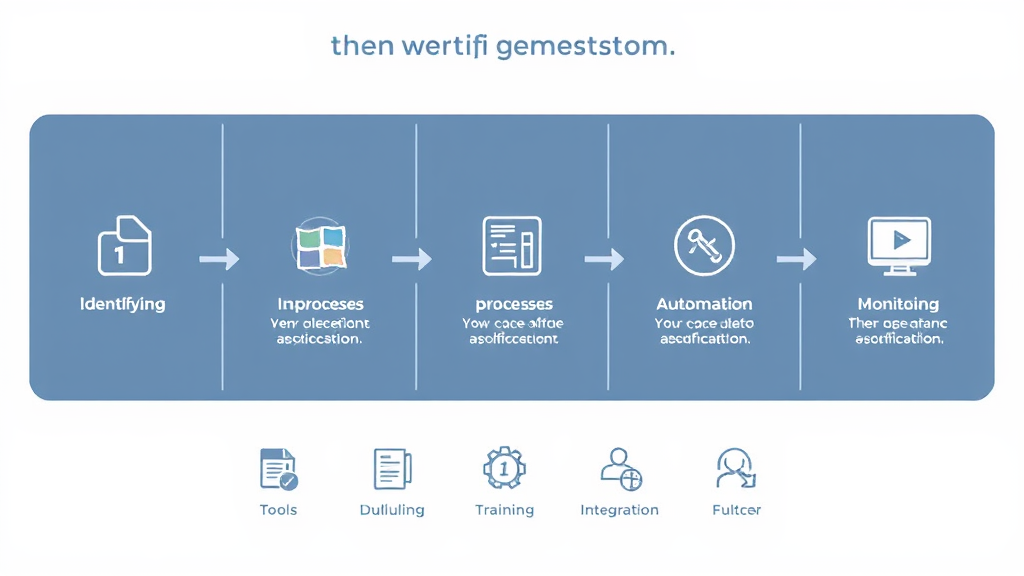
Implementing business automation can significantly enhance efficiency, reduce errors, and free up valuable resources. To ensure a successful transition, consider the following steps:
-
Identify Processes Suitable for Automation
Begin by evaluating your current workflows to pinpoint repetitive, time-consuming tasks prone to human error. Processes such as data entry, invoice processing, and customer follow-ups are prime candidates for automation. Prioritizing these areas can lead to immediate improvements in productivity and accuracy.
-
Map Out Existing Workflows
Document each step of the processes you intend to automate. This involves detailing inputs, outputs, decision points, and the flow of information. A clear visual representation helps in understanding the current state and identifying potential bottlenecks or inefficiencies.
-
Select Appropriate Automation Tools
Research and choose automation tools that align with your business needs and integrate seamlessly with existing systems. Consider factors such as scalability, user-friendliness, and support for future growth. No-code platforms can be particularly beneficial, allowing for flexibility without extensive technical expertise.
-
Design and Optimize Automated Workflows
Utilize the mapped workflows to design streamlined, efficient processes. Establish clear rules and logic to guide the automation, ensuring consistency and quality in outputs. Incorporate necessary checks, alerts, and approval steps to maintain control and oversight.
-
Integrate with Existing Systems
Ensure that the chosen automation tools can effectively communicate with your current software and databases. This integration is crucial for maintaining data consistency and avoiding silos. Thorough testing before full deployment can help identify and resolve potential issues.
-
Train Employees and Manage Change
Provide comprehensive training to your team on the new automated processes and tools. Address any concerns and highlight the benefits of automation to encourage adoption. Effective change management strategies can ease the transition and foster a positive attitude towards automation.
-
Monitor, Evaluate, and Optimize
After implementation, continuously monitor the performance of automated processes. Collect feedback from employees and stakeholders to identify areas for improvement. Regularly updating and refining workflows ensures they remain effective and aligned with business objectives.
By following these steps, your company can successfully implement business automation, leading to enhanced operational efficiency and a competitive edge in the market.
Weiterführende Quellen: Mehr erfahren
Transform your workflow and boost your efficiency—visit ipsom.io or get in touch at office@ipsom.io.
Challenges and Considerations in Adopting Business Automation
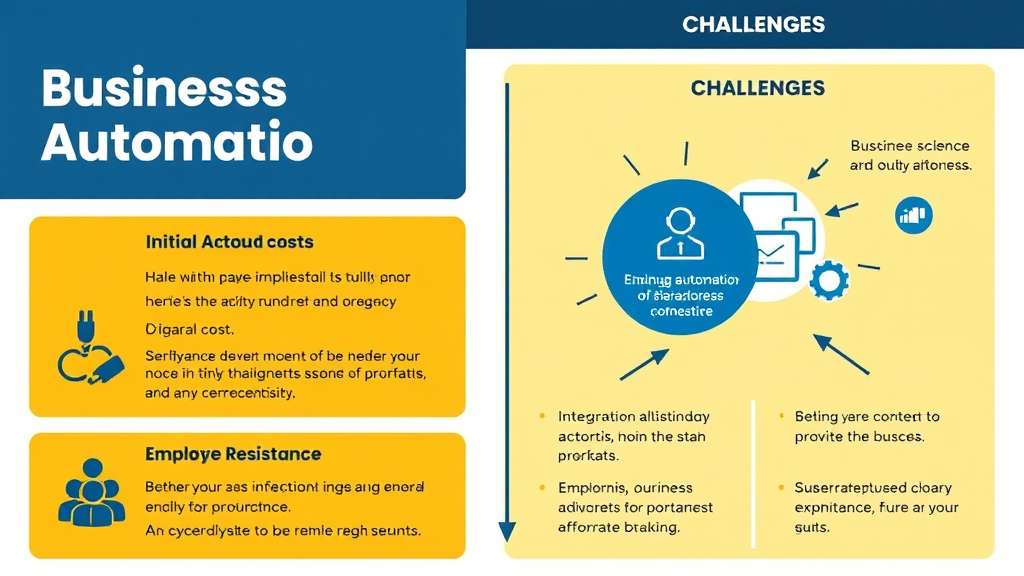
Implementing business automation offers numerous benefits, including increased efficiency and cost savings. However, organizations often encounter several challenges during adoption. Key considerations include:
High Initial Investment Costs: The upfront expenses for software, hardware, and training can be substantial, particularly for small and medium-sized enterprises (SMEs). Conducting a thorough cost-benefit analysis and starting with automating high-impact processes can help manage these costs effectively.
Integration with Existing Systems: Legacy systems may not be compatible with modern automation tools, leading to integration difficulties. Selecting automation solutions that offer seamless integration and working with IT specialists to develop customized strategies can mitigate these issues.
Resistance to Change: Employees may fear job displacement or be unfamiliar with new technologies, resulting in resistance. Providing comprehensive training programs and involving employees in the decision-making process can ease the transition.
Cybersecurity Threats: Increased reliance on digital processes can make businesses more vulnerable to cyber threats. Implementing robust cybersecurity measures, such as encryption and multi-factor authentication, and regularly updating software are essential steps to protect sensitive data.
Data Management and Quality Issues: Automation relies heavily on data, and poor data quality can lead to inaccuracies. Implementing data validation protocols and regularly auditing data can help maintain integrity.
Over-reliance on Automation: Excessive dependence on automation can reduce human oversight and critical thinking. Maintaining a balance between automated processes and human intervention ensures optimal decision-making.
Compliance and Regulatory Challenges: Automated processes must adhere to industry regulations and legal requirements. Staying updated on relevant regulations and conducting regular audits can ensure compliance.
By addressing these challenges through strategic planning, employee engagement, and continuous monitoring, businesses can successfully implement automation and maximize its benefits.
Weiterführende Quellen: Mehr erfahren
FAQ – Häufig gestellte Fragen
What are the primary objectives of business automation?
The primary objectives of business automation include:
-
Enhancing Operational Efficiency: Automating repetitive tasks reduces manual effort, streamlines workflows, and increases productivity.
-
Reducing Costs: Automation minimizes labor expenses and decreases errors, leading to significant cost savings.
-
Improving Accuracy and Consistency: Automated processes ensure tasks are performed consistently and accurately, reducing human errors.
-
Enhancing Customer Experience: Automation enables faster, more personalized service, improving customer satisfaction and loyalty.
-
Ensuring Compliance: Automated systems help maintain regulatory compliance by standardizing processes and creating clear audit trails.
-
Facilitating Scalability: Automation allows businesses to efficiently handle increased workloads, supporting growth without a proportional rise in resources.
How does business automation impact employee roles and responsibilities?
Business automation significantly reshapes employee roles and responsibilities by automating routine tasks, thereby allowing employees to focus on higher-value activities that require creativity, problem-solving, and strategic thinking.
Key Impacts:
-
Shift in Job Responsibilities: Automation reduces the need for manual, repetitive tasks, enabling employees to engage in more complex and meaningful work.
-
Upskilling and Reskilling: As automation evolves, employees must acquire new technical and soft skills to manage and collaborate with automated systems effectively.
-
Creation of New Roles: The rise of automation has led to new positions such as automation engineers, data analysts, and AI ethics officers, offering fresh career opportunities.
-
Enhanced Job Satisfaction: By eliminating monotonous tasks, automation can improve employee morale and job satisfaction, as workers can focus on more engaging and rewarding activities.
In summary, while business automation transforms traditional job functions, it also opens avenues for professional growth and development, emphasizing the importance of adaptability and continuous learning in the modern workplace.
What are some popular tools and technologies used in business automation?
Several tools and technologies are widely used in business automation to enhance efficiency and productivity:
-
Microsoft Power Platform: A suite of low-code tools enabling users to build custom business applications, automate workflows, and analyze data. It integrates with various Microsoft and third-party applications.
-
Microsoft Power Automate: Formerly known as Microsoft Flow, this cloud-based service allows users to create automated workflows between various apps and services, integrating seamlessly with Microsoft 365 and Dynamics 365.
-
UiPath: A global software company specializing in robotic process automation (RPA), enabling organizations to automate repetitive digital tasks across various applications.
-
Blue Prism: A British multinational software corporation that provides enterprise RPA software, focusing on automating back-office processes.
-
HubSpot: A comprehensive marketing automation platform that streamlines email campaigns, social media posting, and lead nurturing, integrating seamlessly with other tools.
-
Asana: A project management tool offering automation features for task assignments, due dates, and approvals, enhancing team collaboration and project efficiency.
These tools help businesses automate various processes, leading to increased efficiency and productivity.
How can small businesses benefit from implementing automation?
Small businesses can gain several advantages by implementing automation:
-
Increased Efficiency: Automating repetitive tasks like data entry and scheduling allows employees to focus on strategic activities, enhancing overall productivity.
-
Cost Savings: Automation reduces labor costs and minimizes errors, leading to significant operational savings.
-
Improved Accuracy: Automated systems perform tasks consistently, reducing human errors and ensuring reliable outcomes.
-
Enhanced Customer Experience: Tools like automated email responders and chatbots provide prompt customer service, improving satisfaction and loyalty.
-
Scalability: Automation enables businesses to handle increased workloads efficiently, facilitating growth without proportional increases in resources.
-
Data-Driven Decision Making: Automated analytics provide real-time insights, aiding informed business decisions.
-
Better Compliance and Security: Automated systems maintain audit trails and enforce security protocols, ensuring regulatory compliance and data protection.
By adopting automation, small businesses can streamline operations, reduce costs, and enhance customer satisfaction, positioning themselves competitively in the market.
What are the potential risks associated with business automation?
Implementing business automation offers numerous benefits but also introduces several potential risks:
-
High Initial Investment Costs: Significant upfront expenses are required for software, hardware, and training, which can be burdensome, especially for small and medium-sized enterprises.
-
Integration Challenges: New automation tools may not seamlessly integrate with existing systems, leading to inefficiencies and delays.
-
Employee Resistance: Workers may fear job displacement or struggle with new technologies, hindering successful implementation.
-
Cybersecurity Threats: Automated systems can be vulnerable to cyberattacks, potentially leading to data breaches and financial losses.
-
Compliance and Legal Issues: Automated processes must adhere to industry regulations; non-compliance can result in penalties and reputational damage.
-
Over-reliance on Automation: Excessive dependence may lead to reduced human oversight, increasing the risk of errors and system failures.
-
Data Management Challenges: Poor data quality can result in inaccurate outcomes and inefficiencies in automated processes.
-
System Breakdowns: Complex automated systems can experience failures, leading to operational disruptions and high repair costs.
-
Loss of Human Skills: Overdependence on automation can lead to the atrophy of manual troubleshooting and intervention skills among staff.
-
Automation Bias: There's a tendency to overtrust automated systems, potentially leading to errors if the system's recommendations are incorrect.
Addressing these risks through strategic planning, employee training, robust security measures, and continuous monitoring is essential for successful business automation.